Overview
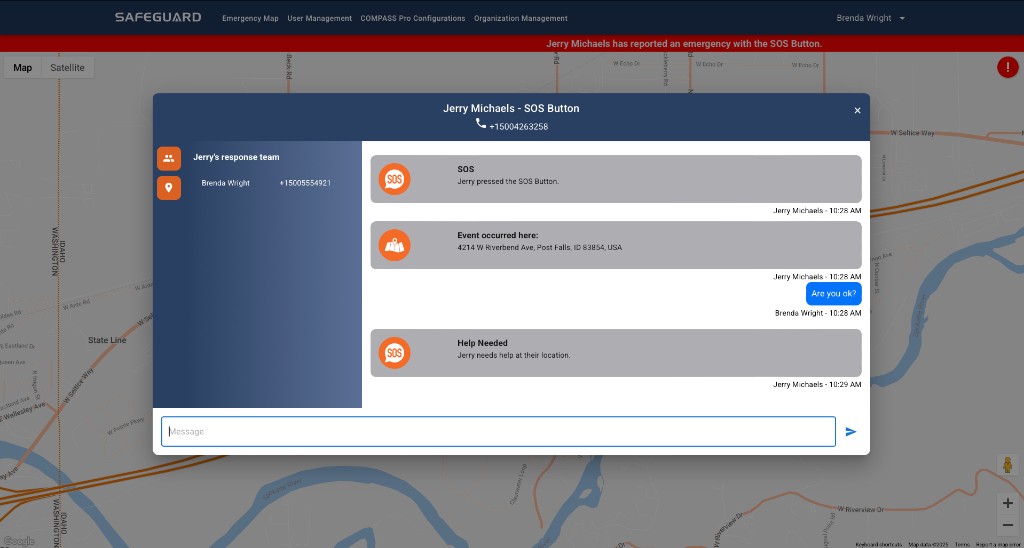
The emergency chat dialog is the audited communication channel for an event. It includes the designated response team and the event details, enabling a fast and coordinated response.
Who can mark an event resolved
Only the user who created the emergency event can mark it as resolved. This is enforced by Navigator Console — supervisors, dispatchers, and admins cannot resolve an event on the creator's behalf.
Operational guidance
- Post short, factual updates in chat: who, what, where, hazards controlled or not controlled.
- Minimize sensitive personal information beyond policy.
- Use chat for the auditable record. Phone calls are appropriate for life-safety coordination, but the chat carries the timeline.