Overview
When an emergency event is generated, notifications are pushed to designated responders across multiple channels for redundancy. The in-app emergency response chat contains all configured contacts so the response is coordinated.
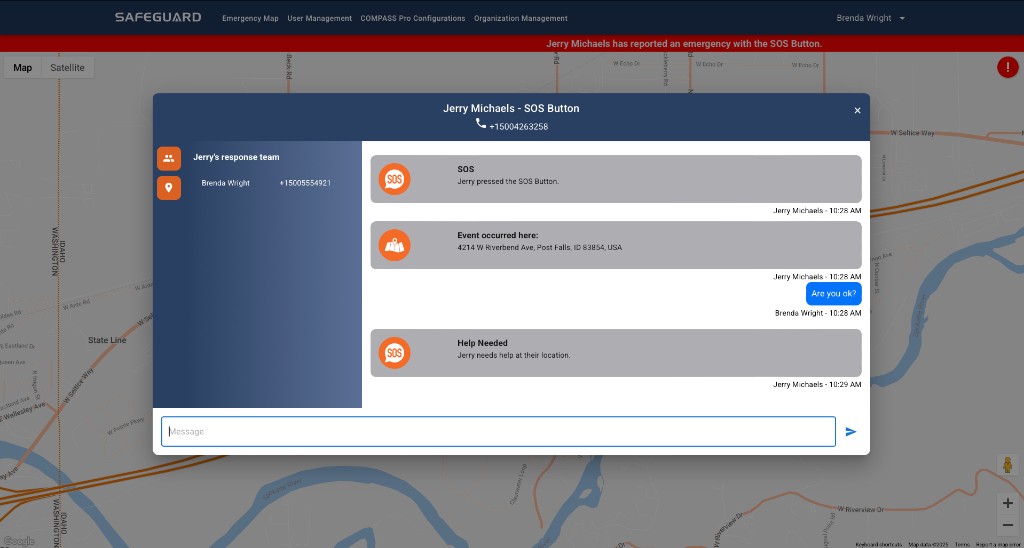
What you receive when you are a responder
- A critical alert push notification with event details and a link to the emergency response chat. Critical alerts override the phone's silent feature, ensuring delivery.
- An SMS text containing event details and the user's location.
- Access to the in-app emergency response chat with all configured responders.
- If you are also wearing a Compass Series device: the corner LEDs flash ORANGE / WHITE three times with a tone, and the heartbeat is replaced with ORANGE / WHITE flashing until you open the chat.
Response sequence
- Address immediate life safety using real-world procedures (evacuation, energy isolation authority, supervision).
- Open the emergency UI from the notification, SMS link, or in-app alert.
- Read initiator, timers, and any location context as an aid — not as sole proof of on-scene conditions.
- Use the in-event chat to keep a single coordinated narrative. Post short, factual updates: who, what, where, hazards controlled or not.
- Resolve / close in software only when authorized — only the user who created the event can mark it as resolved (Console). Auto-close happens after 24 hours if not resolved.