Overview
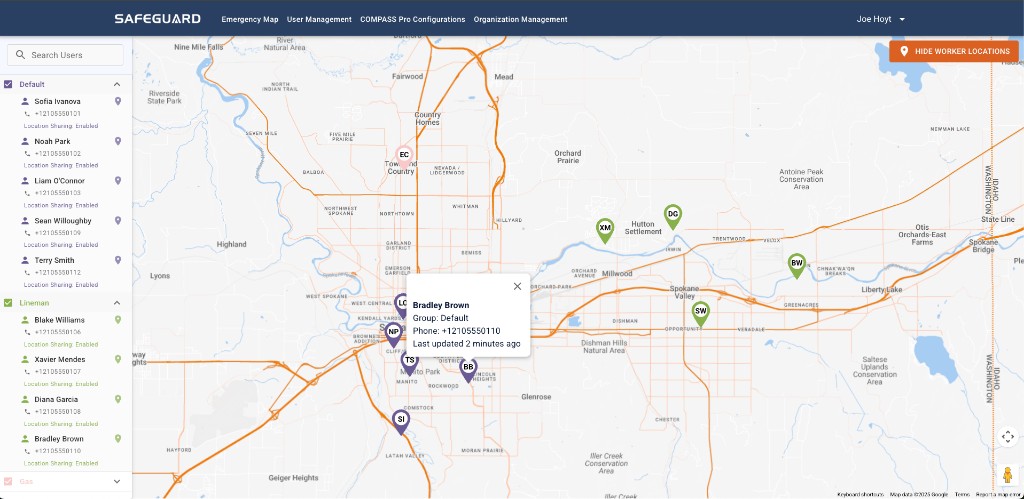
Group Location Sharing lets users share their real-time location while their Compass Series device is connected. The toggle is per-group and admin-controlled.
How it works
- Sharing is active only while the user's Compass is connected to Navigator Mobile.
- When sharing is enabled for a group, users in that group who are actively sharing their location appear on the Console map.
- Admin-level users can enable or disable location sharing on a per-group basis.
Change discipline
- Document the business reason for visibility changes.
- Test after changes during supervised drills — confirm Dispatch sees what is required, not unrelated groups.
- Communicate workforce expectations to avoid surprises during incidents.